NewFaciey is live on AndroidSee what's newJoin the communityJoin the Telegram community
FacieyFaciey
FeaturesHow It WorksBe FoundWhat's NewSafety
Scan a face
Link in bio

The link in bio that recognises faces.

A normal link in bio waits for someone to type it. Faciey works the other way round — your face is the link, so the people who actually met you can get to everything you publish.

Try the free web scan

Get it on

Google Play

Free on Android, free forever.

A link in bio only works if someone can reach it

A link-in-bio page is a good answer to a question nobody can ask in person. You meet someone, they want to follow you, and the exchange collapses into spelling a username in a loud room or typing it into a phone held at arm’s length. Whatever you built sits behind a string of characters they have to get exactly right.

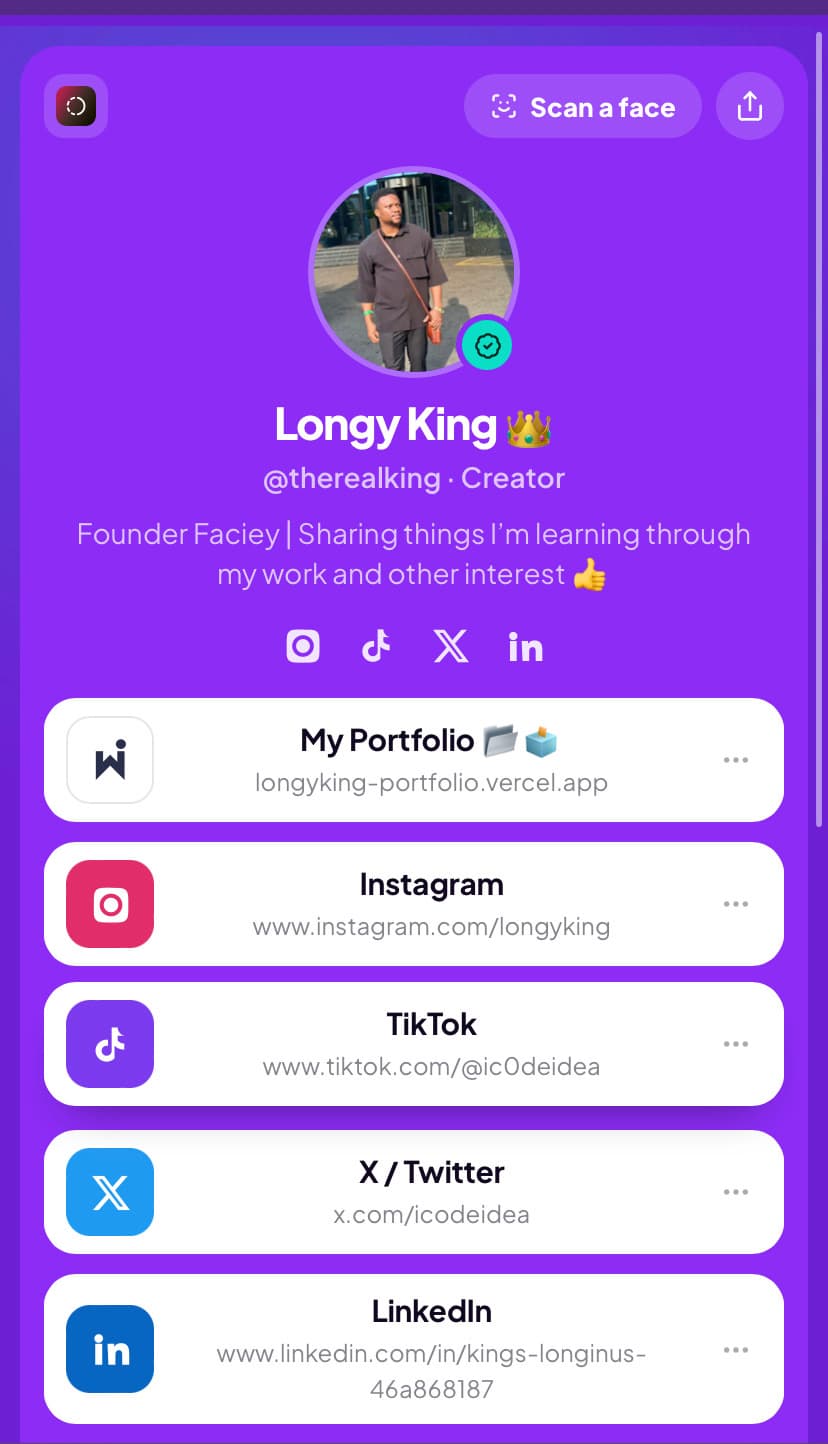
Faciey keeps the page and replaces the string. Everything you would put on a link-in-bio page lives on your Faciey profile — socials, shop, portfolio, booking link, anything with a URL — and a photo is enough to get there.

It still works as a normal link

Your profile has an ordinary web address too, so it drops into an Instagram bio or an email signature like any other link-in-bio page. Face recognition is the second way in, not the only one.

Every link you add is tracked, so you can see which ones people actually open rather than guessing.

How it works

1

Pick your handle and add your links

You get a normal profile at faciey.com/yourname holding every link you want people to reach.

2

Add your face

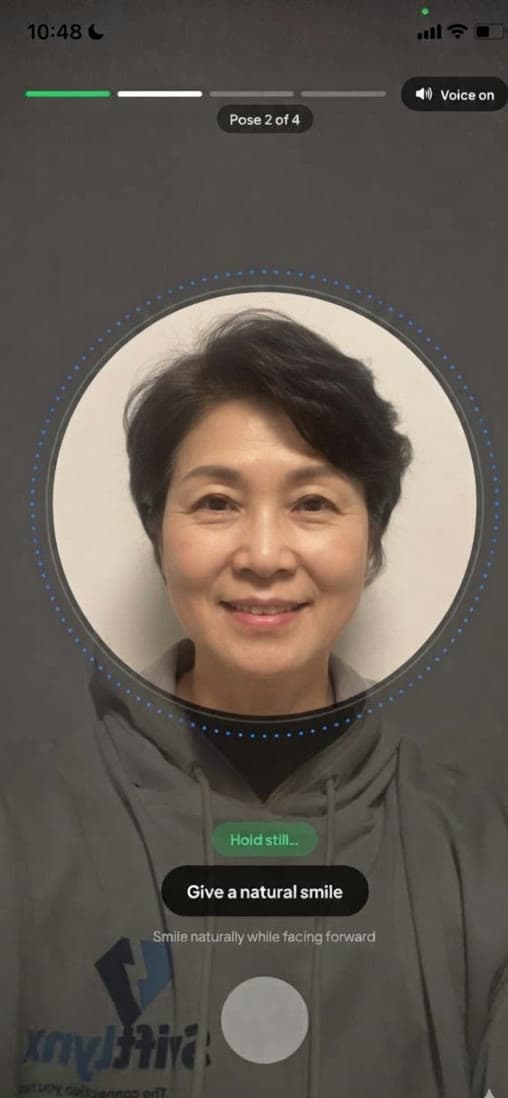
A quick liveness check ties the profile to you, so nobody else can register the same face.

3

Get reached both ways

People who have your link use it as usual. People who only have a photo of you scan it and land in the same place.

Why this beats a plain link page

Nothing to spell

No handle, no QR code, no card. The photo they already took is enough.

Works after the moment

A photo from an event last month still resolves to you today.

See what is working

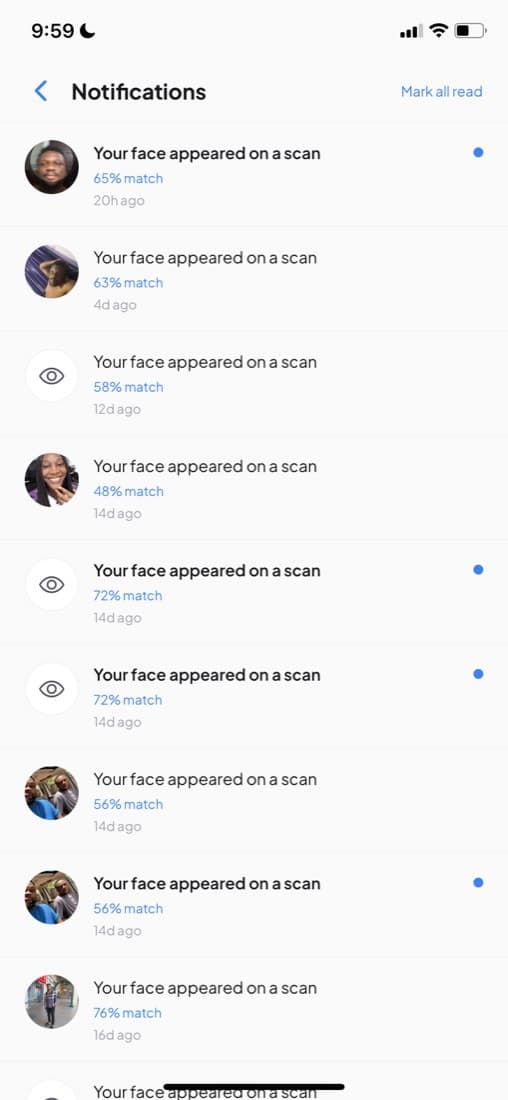
Profile views, link clicks and scan appearances, per link.

Frequently asked questions

Is this a replacement for Linktree?

It does the same job — one page holding every link you own — and adds a second way to reach it. Your Faciey profile has a normal URL you can put anywhere, and it can also be reached by scanning your face.

Do I need the face part to use it?

No. You can publish a profile with links and never add a face. Adding your face is what makes you findable from a photo.

What links can I add?

Instagram, TikTok, YouTube, X, LinkedIn, GitHub, and any other URL — a shop, a portfolio, a booking page, a newsletter.

How much does it cost?

The profile, the links and being findable are free and stay free. Premium adds extras like seeing exactly who scanned you.

Put your links behind your face

Free forever, and it takes about twenty seconds to set up.

Get it on

Google Play

Or try it on the web Join the Telegram
FacieyFaciey

Shazam for faces. Linktree for identity.
Your face is your URL.

Product

  • Features
  • How It Works
  • Scan a Face
  • Be Found by Face
  • Link in Bio With Face
  • Get Discovered
  • What's New

Discover

  • Reverse Face Search
  • Identify From a Photo
  • Find Someone From a Video
  • Live Face Recognition
  • Find a Creator
  • Face Recognition App
  • Browse People

Legal

  • Safety
  • Privacy Policy
  • Terms of Service
  • Contact

© 2026 Faciey. All rights reserved.

Join the Telegram

Opt-in only. Privacy first. Always.